
What Aeon is and who it is for
Aeon is an agent framework for work that should happen on a schedule: a daily briefing, a recurring repository check, a research update. You decide what runs and when, and it happens whether or not you are online. Launch describes it as "An agent framework that runs its work on your GitHub."
It is built for developers and AI power users who are comfortable with a GitHub account, a personal access token and GitHub Actions. If you want an agent you open and talk to, Claude Code or Codex fit better. If you want a routine that runs by itself, that is what Aeon is for.
The unusual part is the split. Aeon has two homes on Hivra:
| Part | Where it lives | Who sets its limits |
|---|---|---|
| The dashboard you configure tasks in | A small computer of its own on Hivra, behind Hivra's authenticated gateway | Hivra Cloud needs a paid plan. The dashboard computer is a fixed small size (0.5 vCPU, 1 GB) and does not use your plan's shared CPU and memory. On your own server, your server. |
| The scheduled tasks | A fork of Aeon in your own GitHub account, run by GitHub Actions | GitHub |
| The model the tasks think with | An AI provider key set as a secret on your fork (for example ANTHROPIC_API_KEY or CLAUDE_CODE_OAUTH_TOKEN), or Hivra credits wired into it | The provider, or your Hivra credits |
The Aeon page has the shorter pitch. This page is the detail: setup, permissions, what runs where, costs, updates and fixes.
Before you start
You need three things.
- A Hivra account. It costs nothing to create.
- Somewhere for the dashboard to run. Every computer that Hivra Cloud runs for you needs a paid plan, from $9.99 a month for 2 vCPU and 4 GB of RAM. A free account works with a computer or server you connect yourself. Aeon is available on Hivra Cloud or on a Proxmox server you connected. See Run agents on your own server for the server route.
- A GitHub account. Aeon's tasks run as GitHub Actions workflows in your fork, so GitHub applies its own Actions limits and may charge for usage beyond what your account includes. Hivra cannot change that.
The dashboard is light. Hivra's catalog gives Aeon a floor of 0.5 vCPU and 1 GB of RAM, because the dashboard is a web app that needs about 1 GB to build and run. The real work happens on GitHub, so you do not need a big computer for it.
Also decide where the model comes from. Aeon cannot take an API key at launch. Either you set the AI provider key on your GitHub fork, or you choose Hivra credits at launch and Hivra wires them in when you connect GitHub. See How Aeon gets its model below.
Launch Aeon
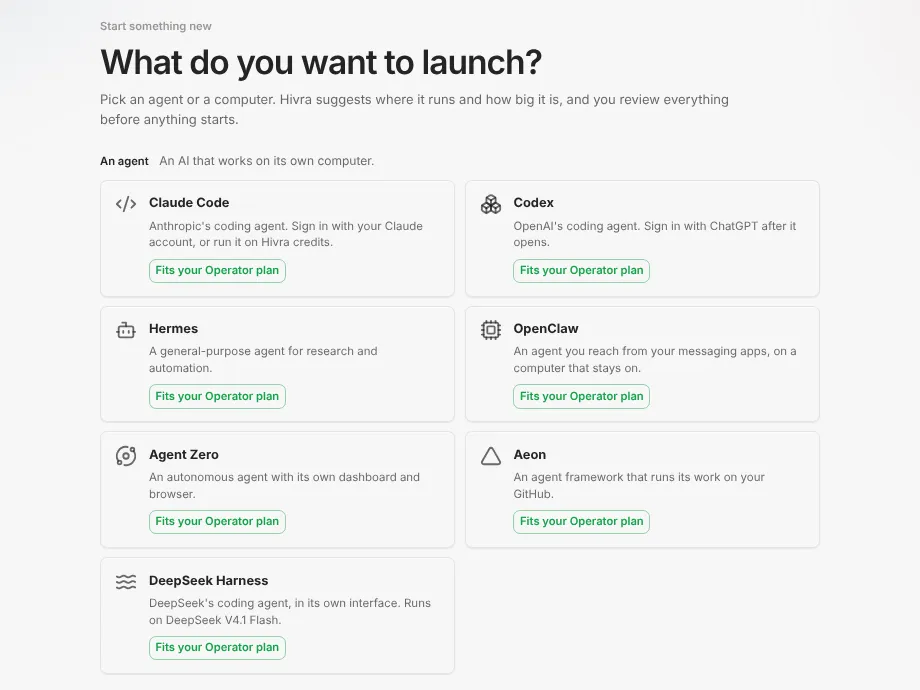
- Open Launch from your dashboard. Step 1 asks "What do you want to launch?" Pick the Aeon tile.
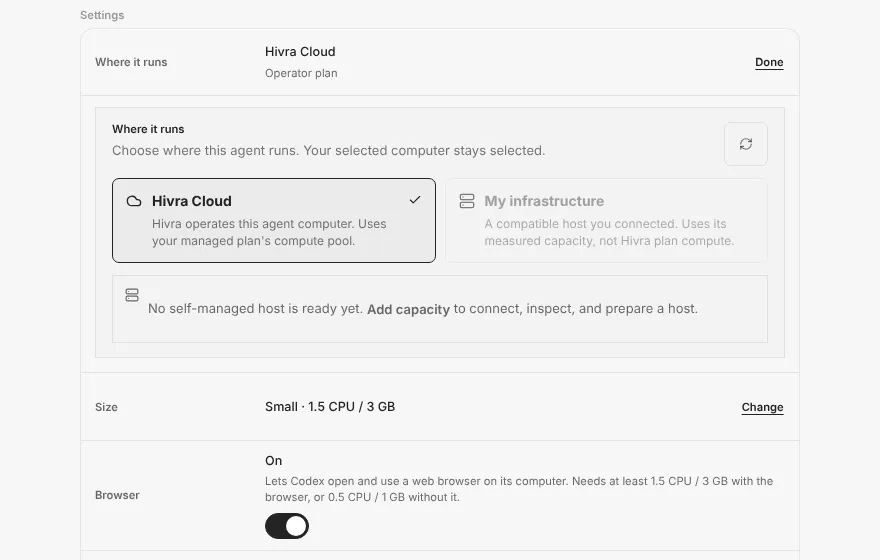
- On the Review step, check the agent name, Where it runs (Hivra Cloud, or a connected server if one is ready) and Size. Aeon's size is small because the dashboard is small.
- Under Model access, Aeon offers two routes: use the key on your GitHub fork, or Hivra credits. "Use my own API key" is not offered here, and Review says "Not available for Aeon here. Set your key on your GitHub fork instead."
- Read the hosting note. For Aeon it says the launch hosts the Aeon dashboard on the agent's private virtual machine, that its automated tasks run on your own GitHub Actions using the GitHub credentials you connect, and that Hivra is an independent hosting service and is not affiliated with or endorsed by the Aeon project.
- Press Launch Aeon. Nothing starts until you do.
Launch does not finish the job. The dashboard is up, but Aeon has no GitHub connection yet, so the next step is the connect screen below.
Connect GitHub
Aeon does not sign in the way Claude Code or Codex do. You hand the computer a GitHub personal access token, and it uses that token to sign the GitHub command line in and to start the dashboard against your own fork. The screen is titled "Connect Aeon to GitHub" and says Aeon runs on your own GitHub: its tasks execute on your Actions and its state lives in your repository.
- Fork Aeon first if you have no copy yet. The screen links to the upstream repository under "No fork yet? Fork Aeon". Create the token on your copy. Hivra does not create the fork for you here.
- Press Create a fine-grained token. It opens GitHub's new token page with the name Aeon and the permissions already filled in.
- Check the permissions, then choose the repository and the expiry yourself on GitHub's page, and create the token. Copy it. It starts with
github_pat_. - Paste it into the field labelled "GitHub personal access token" and press Connect (or press Enter).
- The computer signs in, boots the dashboard and is ready to configure.
What the token asks for. The link pre-fills write access to these repository permissions:
| Permission | Why Aeon needs it |
|---|---|
| Contents | Aeon saves its skills, configuration and outputs to your fork |
| Actions | It dispatches and manages workflow runs |
| Secrets | It stores task credentials as GitHub repository secrets |
| Workflows | It enables and updates the workflow files that run your schedule |
| Variables | Used when you choose Hivra credits, to set the model endpoint on your fork |
If Connect shows an error, the token is probably missing a permission. Create a new token with Contents, Actions, Secrets and Workflows write access on your fork and paste it again. Scope the token to your Aeon fork rather than your whole account where you can. Treat it as a powerful credential: it can change workflows in that repository.
The screen says Hivra never stores the token. It is passed to the computer, which uses it to authenticate. Because credentials may live on the agent computer and as secrets on your fork, and Hivra administrators retain infrastructure access on Hivra-managed hosts, give it only the permissions it needs.
There is also a checkbox, "Power Aeon with your managed Venice credits". It appears on a first connect only. If you ticked Hivra credits at launch it starts ticked. See the next section.
How Aeon gets its model
Aeon's tasks run on GitHub, so the model key has to be where the tasks are: on your fork.
| Route | What happens |
|---|---|
| Your own key on the fork | You set an AI provider key on your GitHub fork as an Actions secret, for example ANTHROPIC_API_KEY or CLAUDE_CODE_OAUTH_TOKEN, plus a notification channel. Launch's own-key option is not offered for Aeon. |
| Hivra credits | Models come from Venice through Hivra, so you do not need a Venice account. When you connect GitHub with the credits box ticked, Hivra sets a billing key on your fork so Aeon runs without you supplying a provider key. Usage comes out of your Hivra credit wallet at provider rates. |
With credits, Hivra mints a key for this computer, named after the agent, and sets it up with a default model, which may change over time. It bills the wallet that holds funds, trying card credits first and falling back to token credits when only those have a balance. If minting the key fails, the connect carries on as a plain connect, and you can add a model key in Aeon's own Authenticate settings instead.
You can change the choice afterwards in Aeon's own settings. Model usage is a separate cost from the dashboard computer and from GitHub's Actions usage. Models and credits explains credits, wallets and the other agents' routes.
Open the dashboard and create tasks
Open Aeon from your Home page. Its agent page shows Dashboard as the first view, which is Aeon's own web app, reached through Hivra's authenticated gateway. The agent page groups Dashboard first, then Computer (Files and Terminal), then Settings, which is the agent's Manage page and is called Manage in places. A Desktop entry explains how to link a desktop. There is no Chat tab, because Aeon is not a chat agent.
Inside the dashboard, decide what should run, when, and with which credentials. Start with something low risk, such as a research digest on a topic you follow or a read-only check of a repository you own. Read the first few outputs before you widen what a task may touch. You are responsible for what each task can access and change.
What runs where
Hermes, OpenClaw and Agent Zero run on the computer itself, and Aeon's scheduled tasks run on your own GitHub Actions while the computer hosts its dashboard. None of them needs an open browser.
| Question | Answer |
|---|---|
| Does a task run on my Hivra computer? | No. It runs in GitHub Actions on your fork. |
| Does it use my plan's CPU and memory? | The dashboard computer is deliberately small and counts against none of your plan's shared CPU and memory. |
| Do I need my browser open? | No. Tasks do not depend on an open browser. |
| Who limits and bills task compute? | GitHub, under your account's Actions terms. |
| Who bills the model? | Your AI provider, or your Hivra credits. |
| What happens if my dashboard computer is stopped? | Where the run-eligibility check is installed in your fork, scheduled runs are skipped. See below. |
That last row matters. Hivra provides a run-eligibility check that Aeon's scheduler can call. It answers yes only when the computer's status is running, and it fails closed: an unrecognised or unreachable answer means no run. Where the check is installed in your fork's workflow, runs are skipped while the computer is stopped, paused, suspended or unknown, so a stopped computer does not keep spending your model quota. The check is added on a best-effort basis. A fork that does not have it, for example one whose workflow file differs from what the installer expects, keeps running when the computer is stopped. Look at your fork's workflow to see whether it is there.
Where the check is installed, stopping Aeon from Settings, under Power, also pauses its schedule until you press Start. Hivra does not automatically sleep or park Aeon for inactivity, because it runs scheduled work on its own.
Costs
There are up to four separate costs, and none of them replaces another.
- The dashboard computer. Every computer that Hivra Cloud runs for you needs a paid plan, from $9.99 a month for 2 vCPU and 4 GB of RAM. A free account works with a computer or server you connect yourself. On a server you connect, there is no Hivra hosting charge, and you carry the server's own costs. See Run agents on your own server.
- GitHub Actions. Billed or limited by GitHub for the minutes your tasks use.
- The model. Your provider if you use your own key, or Hivra credits at provider rates.
- Anything your tasks connect to. Third-party services and data sources have their own terms.
See Plans and billing for the plans.
Update Aeon
Open Settings and choose Updates. For Aeon the card compares the installed dashboard version with the version Hivra has tested, and shows Update Aeon when one is available. Hivra installs only versions it has tested, so this can be older than Aeon's newest release.
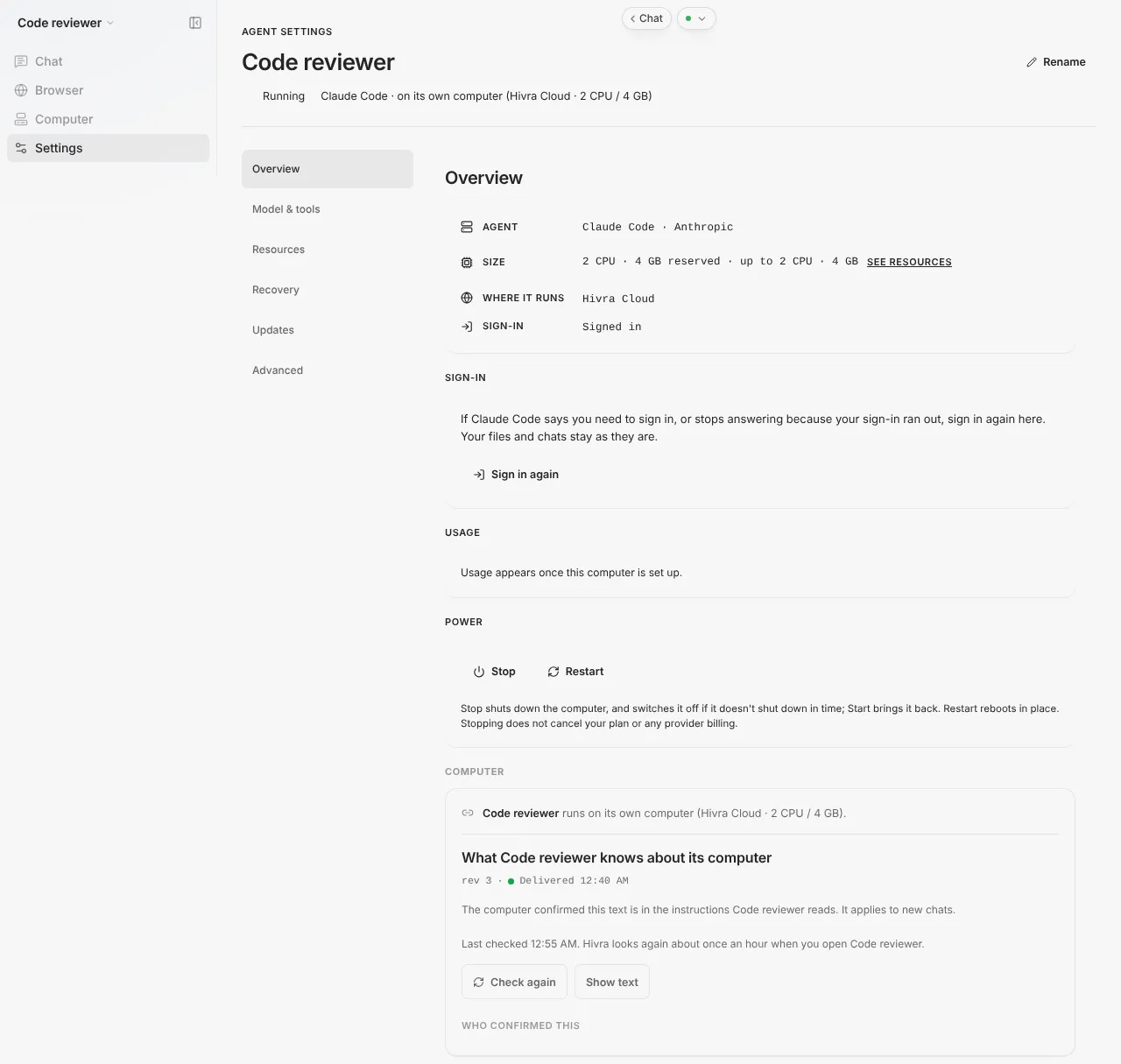
What the update does:
- Aeon keeps working while the new version builds, which the panel says can take 15 minutes.
- It then waits until nobody has used Aeon for 5 minutes, so close it in any other tab. Hivra waits up to 6 hours.
- Aeon restarts once to apply the update. If the new version does not start, Hivra puts the previous one back and says so.
Hivra updates only the dashboard it hosts. Your Aeon skills and workflows live in your GitHub fork, which Hivra does not change. You keep the fork up to date on GitHub. See Update an agent for the general picture.
When something goes wrong
| What you see | What to do |
|---|---|
| The connect stops with an error after you press Connect | The token is probably missing a permission. Create a new fine-grained token with Contents, Actions, Secrets and Workflows write access on your Aeon fork, and paste it again. |
| Aeon can no longer save changes to your fork | Your token expired or was deleted. Open Settings, and on Overview press Change GitHub token. It appears only while the computer is running, so press Start first if it is stopped. Your skills and workflows stay in your fork. |
| Scheduled tasks stopped running | Check that the agent shows Running. If your fork has the run-eligibility check, a stopped computer skips the schedule, so press Start under Power. Then check the Actions page of your fork on GitHub. |
| A workflow run fails or never appears | A fresh fork needs an AI provider key (for example ANTHROPIC_API_KEY or CLAUDE_CODE_OAUTH_TOKEN) and a notification channel set as Actions secrets before scheduled runs work. Check the Actions page of the fork on GitHub. Hivra credits are the other route for the model key. |
| Credits box missing on connect | It is offered only on a first connect. When you change the token later it keeps the earlier choice and does not offer a second key. |
| The Dashboard view will not load | Open Settings and check the agent is running. Restart under Power if it stays stuck. |
| The Update panel says Aeon was not updated because it was still in use | Close Aeon in other tabs and press Try again. |
| It says there isn't enough free disk space | Free some space on the computer, then update again. Nothing was changed. |
| It says the new version didn't start and Hivra couldn't put the previous version back | Use the recovery button the panel offers, a restore point or Force restart under Advanced. |
What Hivra does and does not do
- Hivra hosts the dashboard behind an authenticated gateway and gives you the GitHub connect flow.
- Hivra does not take over your fork, and cannot exempt your tasks from GitHub's Actions limits or pricing.
- Hivra does not decide what your tasks may touch. You do, through the token and the credentials you store.
- Hivra is an independent hosting service and is not affiliated with or endorsed by the Aeon project. Aeon is their software, and the Aeon agent page links their repository.
Common questions
Does Aeon run its tasks on my Hivra computer?
No. The dashboard lives on a small Hivra computer, but the scheduled tasks run on your own GitHub Actions, in your fork.
What GitHub permissions does the token need?
Write access to Contents, Actions, Secrets and Workflows on your Aeon fork. The pre-filled token link also asks for Variables, which is used when you choose Hivra credits. Scope it to the fork and revoke it if you stop using Aeon.
Will tasks keep running when I close my laptop?
Yes. They run on GitHub, not in your browser. If your fork has Hivra's run-eligibility check installed, they only run while the Aeon computer on Hivra is running, so do not stop it from Settings if you want the schedule to continue. A fork without the check keeps running when the computer is stopped.
Can I use my own API key at launch?
Not for Aeon. Set your AI provider key on your GitHub fork, or choose Hivra credits and Hivra wires them in when you connect GitHub.
What happens if my GitHub token expires?
Aeon can no longer save changes to your fork. Open Settings, press Change GitHub token (it appears only while the computer is running, so press Start first if needed) and paste a new one. Your skills and workflows stay in your fork.
Can I use a fork I already have?
Yes. Create the token on your existing Aeon fork. If you have none, fork Aeon first and create the token on that copy.
Does updating Aeon change my fork?
No. Hivra updates only the dashboard it hosts, to a version it has tested. Your skills and workflows live in your GitHub fork, which you keep up to date on GitHub.