
Preview status: read this first
Nuphos is a preview on Hivra and it is off by default. It is not in the Launch list, so on a normal deployment you cannot launch it. It becomes launchable only when the deployment you use turns it on with a switch (the NEXT_PUBLIC_HIVRA_NUPHOS_AGENT setting set to 1), and it needs a host on provisioner release 2026.11.12.5 or later.
That switch belongs to whoever runs the deployment, not to you. There is no setting in your account that enables Nuphos. If you do not see a Nuphos tile on the first step of Launch, it is not enabled for you, and nothing is wrong with your account.
This page describes how Nuphos works on Hivra once it is enabled, so you know what to expect and what you would need. If you need a hosted Claude Code agent today, Claude Code on Hivra has its own Chat view and signs in with your Claude account or Hivra credits. See Claude Code on Hivra.
What Nuphos is and who it is for
Nuphos is Claude Code that your team chats with from the Nuphos app. Instead of one developer holding a terminal open, the agent lives on a computer and your team reaches it from the Nuphos apps (Mac, iPhone or Android).
On Hivra, the agent gets a computer of its own. Hivra runs Nuphos's official runtime image, the Claude Code variant, which Nuphos publishes under the Apache-2.0 licence. It runs in a container on the agent's private virtual machine. Hivra does not change the image. It installs the newest release when you launch and again when you press Update. It does not hold you to a Hivra-tested version, and a running agent stays on its installed release until you update.
The runtime has its own console. Hivra serves that console at the root of the computer's address, behind your Hivra sign-in, and the agent page opens it at /nuphos/.
It suits small teams of developers who already use Claude, want one shared agent reachable from a chat app, and would rather not keep a laptop running for it. If you work alone, the Claude Code agent with its own chat view is simpler.
Hivra is an independent hosting service and is not affiliated with or endorsed by Nuphos. Nuphos is a separate product by its makers, with its own account and terms.
What you need
| Requirement | Detail |
| --- | --- |
| A deployment with Nuphos enabled | Off by default. Without it there is no Nuphos tile in Launch. |
| A paid Hivra Cloud plan | Every Hivra Cloud computer needs a paid plan, from $9.99 a month for 2 vCPU and 4 GB of RAM. |
| Enough room | 1 vCPU and 3 GB of RAM is the smallest size accepted. The Launch review proposes 2 vCPU and 4 GB. |
| A Nuphos account | Used by the Nuphos apps to reach your agent. Its price and terms are between you and Nuphos. |
| A Claude sign-in | The agent signs in to your own Claude account inside Nuphos. Claude usage follows your own Claude subscription and its limits. |
Hivra's status notes list Nuphos as Hivra Cloud only, so launch it on Hivra Cloud. See pricing for the plans.
How it gets its model
Hivra provides the computer, not the model. This is the biggest difference from most other agents.
- There are no Hivra credits for Nuphos and no model picker on its Launch review.
- You do not paste an API key into Hivra for it.
- The agent signs in to your own Claude account inside Nuphos, and the Nuphos apps sign in with your own Nuphos account.
So the cost of the model is whatever your Claude subscription costs and allows, and the cost of Nuphos itself is between you and Nuphos. For how the other agents reach a model, see models and credits.
Set it up, once it is enabled
These steps apply only on a deployment where Nuphos has been turned on.
- Open Launch and choose Nuphos on the first step. Its tile reads "Claude Code your team chats with from the Nuphos app, on its own computer."
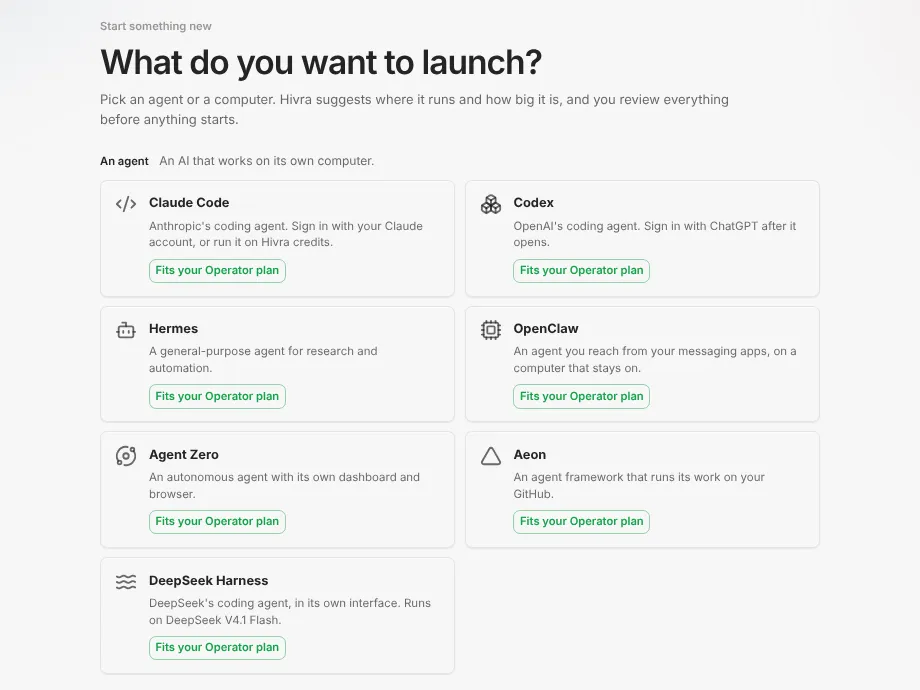
- On the review step, check the name and size. The review proposes 2 vCPU and 4 GB, and you can go down to 1 vCPU and 3 GB or up to 4 vCPU and 8 GB. Leave Where it runs on Hivra Cloud. Then press Launch.
- When the computer is ready, open the agent. Nuphos shows its own console as the agent's Dashboard tab, served through Hivra's sign-in. The sidebar rows are Dashboard, Computer (terminal and files) and Settings.
Steps 4 to 6 happen in Nuphos's own console, not in Hivra, so the labels there may change on Nuphos's side.
- In the console, set a password. This is the console password for Nuphos's own console.
- Press Connect to Nuphos. This links the runtime to Nuphos so the apps can find it.
- Sign the agent in to your Claude account (Nuphos's console shows how).
- Open the Nuphos app on Mac, iPhone or Android, sign in with your own Nuphos account, and chat with the agent from there.
After this, you chat from the Nuphos apps, not from a Hivra chat view. Nuphos has no chat tab on Hivra's side.
For the general Launch steps, see launch your first agent.
How the apps reach the agent: the /acp key guard
Nuphos's servers reach the runtime at its /acp address. The runtime guards that address with each connected team's key, so a request without a connected team's key is not accepted.
That is how the app and the agent find each other without you opening the computer to the internet yourself. The runtime listens on the computer's own loopback address, and Hivra's gateway is the only front door.
Hivra does not add its own credential to this path. Nothing of Hivra's is put inside the container: no overlay, no environment file and no key of ours.
Treat the console password and your team's keys like any other secret. Anyone who has them can reach the agent, so share them only with people you want to be able to give it work.
Update it
- Open the agent, choose Settings in the sidebar, then Updates.
- Find the Nuphos card and press Update Nuphos. Hivra installs the newest release of Nuphos's runtime. The card shows the installed version when Hivra has one recorded, and Last checked.
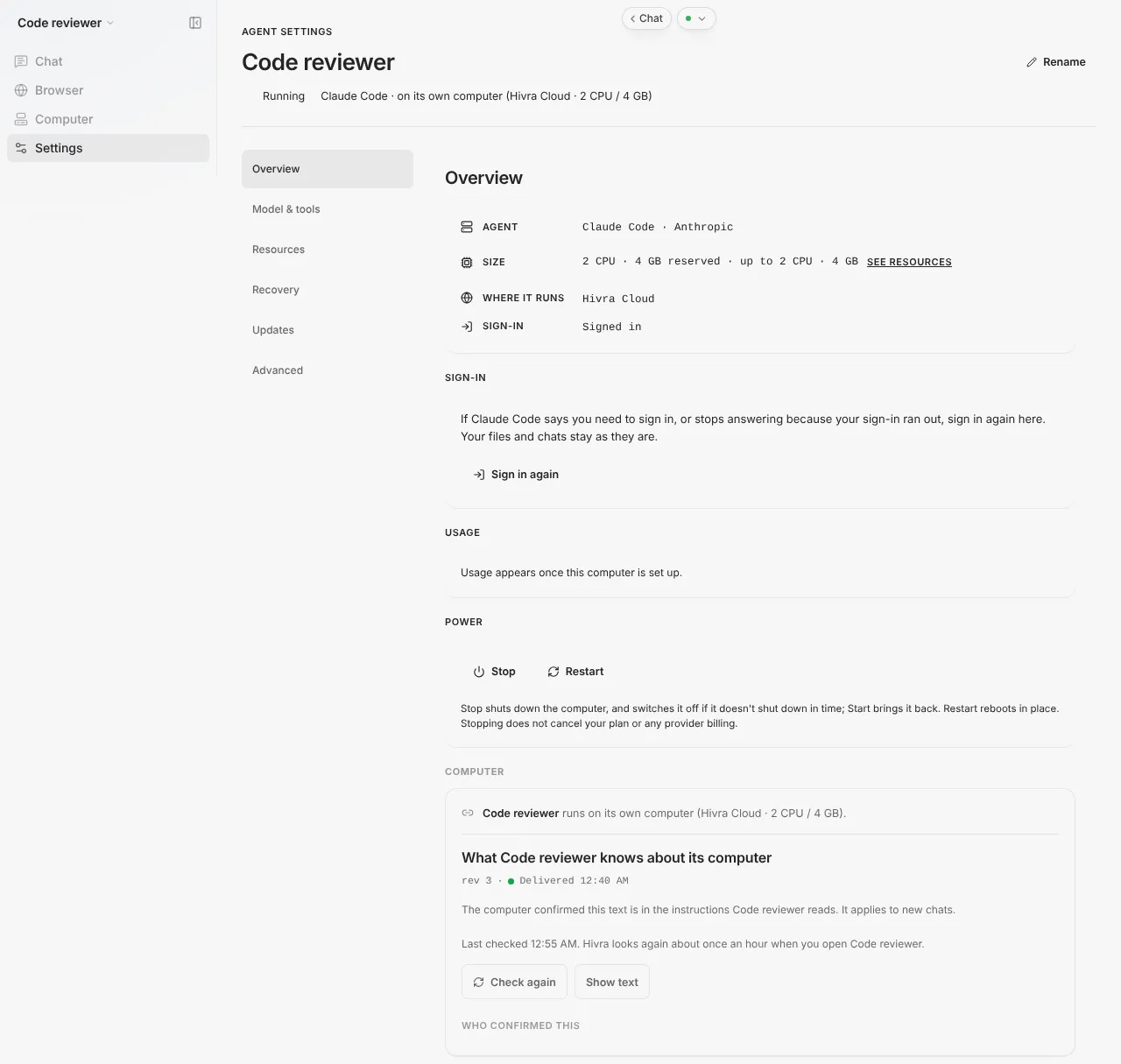
The card reports progress in phases: Starting the update, Downloading (the old release keeps running), Waiting until nobody is using it, Installing, then Checking the new version. The wait starts the update once the agent has been idle for 5 minutes, and Hivra waits up to 6 hours, so Update can look like it is doing nothing for a while.
The agent restarts while it installs, so the console and the Nuphos apps cannot reach it until it is back. Pick a quiet moment if your team is mid-task.
Hivra does not roll a Nuphos update back for you. Read Nuphos's release notes before updating. See update an agent for the general flow.
Size and always-on behaviour
| Item | What Hivra uses |
| --- | --- |
| Smallest size accepted | 1 vCPU and 3 GB of RAM |
| Proposed by the Launch review | 2 vCPU and 4 GB of RAM |
| Largest preset | 4 vCPU and 8 GB of RAM |
| Hivra browser stack | None. Nuphos has no browser view on Hivra. |
| Where it runs | A container on the agent's private virtual machine |
| Console port | The runtime's console listens on the computer's loopback address, port 3102 |
While the runtime is running, Hivra treats the Nuphos app connection as a live channel. The app reaches the agent through the runtime's own service, and Hivra does not assume the app keeps messages for a runtime that is asleep, so while the Nuphos app connection is live, Hivra treats the agent as in use and does not put it to sleep for inactivity.
Your files and the runtime's home folder live on the computer, in a volume that stays with it. Your files, sessions and login stay on the computer.
When something goes wrong
| What you see | What to do |
| --- | --- |
| There is no Nuphos tile in Launch | Nuphos is off by default. It appears only on a deployment where it has been enabled. Nothing is wrong with your account. |
| "Dashboard not reachable" and "The computer is up but its dashboard isn't connected yet" | Give it a moment and reopen the agent. If it stays, check the computer's power state in Settings (Overview, Power), then try again. |
| The console shows "Starting Nuphos" | The runtime is still starting. Wait: the page reloads itself when the runtime answers. |
| The console opens but the apps cannot reach the agent | Check that you pressed Connect to Nuphos after setting the password, and that you are signed in to the same Nuphos account in the app. |
| The agent cannot answer | It signs in to your own Claude account inside Nuphos. Sign in again in the console and check your Claude plan limits. |
| An update did not finish | Open the agent, choose Settings, then Updates, and read the note on the Nuphos card. Press Update Nuphos again. |
For other symptoms, see troubleshooting.
What Hivra does and does not do
Hivra does:
- Run Nuphos's official runtime image on a private virtual machine, and keep it on a paid plan.
- Serve the runtime's console behind your Hivra sign-in.
- Install the newest release when you press Update.
Hivra does not:
- Provide a model, credits or a model picker for Nuphos.
- Make or support Nuphos itself. It is Nuphos's product, and its account, apps and terms are theirs.
- Make the agent safe. A separate computer is a boundary, not a guarantee. Give the agent tokens scoped to what it needs, and review what it changes. Credentials may be stored on the agent's computer, and Hivra administrators retain infrastructure access on Hivra-managed computers. See security and access.
Common questions
Can I launch Nuphos on Hivra today?
Not from the Launch list. Nuphos is in preview and off by default. It becomes launchable only when the deployment you use has turned it on.
Does Hivra provide the model for Nuphos?
No. Hivra provides the computer, not the model. You use your own Nuphos account and your own Claude sign-in, and there are no Hivra credits or model picker for it.
Where do I chat with the agent?
From the Nuphos apps on Mac, iPhone or Android, signed in with your own Nuphos account. There is no Hivra chat view for Nuphos.
What does Connect to Nuphos do?
After you set the console password, it links your runtime to Nuphos so the apps can find your agent.
Does it need a paid plan, and how big must it be?
Yes. Every Hivra Cloud computer needs a paid plan. Nuphos needs at least 1 vCPU and 3 GB of RAM, and the Launch review proposes 2 vCPU and 4 GB. Launch it on Hivra Cloud.
How do I update it?
Open the agent, choose Settings, then Updates, and press Update Nuphos. It installs the newest release, and Hivra does not roll a Nuphos update back for you.
Is Hivra affiliated with Nuphos?
No. Hivra is an independent hosting service and is not affiliated with or endorsed by Nuphos.