
What this page covers and who it is for
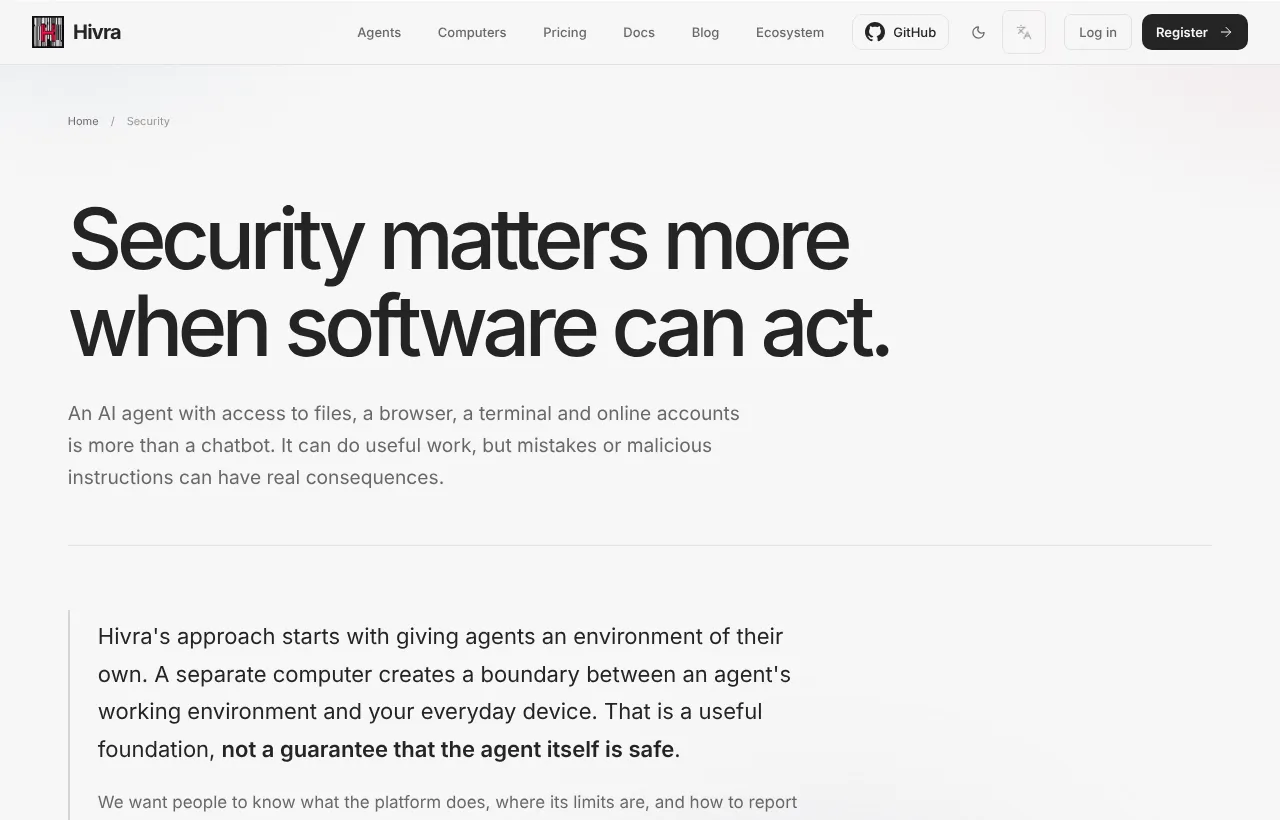
An agent with a terminal, files, a browser and your accounts can do real work, and real damage. This page is for developers and AI power users who want a plain account of how access to an agent works on Hivra, where secrets end up, who can reach the machine underneath, and where the limits are.
It describes what the product does today. Hivra also publishes a longer security model that is a target contract, not a list of finished controls, so this page sticks to behaviour you can see in the dashboard and in the product's own notices. Where something is a goal rather than a fact, it is marked as one.
The short version:
- You reach an agent by signing in to Hivra. Its web app, Terminal, Files and desktop views go through Hivra's authenticated gateway.
- Each agent gets a computer of its own. Credentials may be stored on that computer.
- Who can reach the host depends on where the computer runs: Hivra administrators on Hivra-managed hosts, whoever controls the server on a connected one.
- A separate computer is a boundary. It is not a promise that the agent is safe.
Who can reach an agent
Nobody opens an agent's interface from a public address. You sign in to Hivra, open the agent from Home, and Hivra's authenticated gateway passes you through to the computer. The gateway sits in front of the agent's web app, its Terminal, its Files and its desktop where it has one.
| What you open | How it is reached |
|---|---|
| OpenClaw's Control UI and Agent Zero's dashboard | The app is bound to the computer's localhost. The gateway is the only way in. |
| Hermes, DeepSeek Harness | The agent's own web interface, opened through the gateway behind your Hivra sign-in. |
| OpenBot and Nuphos (preview, off by default, so not on every deployment) | The same route as above, when your deployment offers them. |
| Claude Code and Codex | Opened from the agent's page, behind your Hivra sign-in. |
| Terminal, Files, desktop | Gateway, with the same sign-in as everything else. |
Some agents have a login of their own. Agent Zero protects its dashboard with a username and password that Hivra seeds when the computer is provisioned, stores on the computer and uses on your behalf, so you never see its login screen.
How a surface signs you in
The Terminal, Browser and native dashboard views open a signed-in session with the computer without putting a reusable secret in the page address. A computer whose connection service is older than the dashboard expects shows a Connection update needed notice instead. If you see it, update the agent from Settings, then Updates (update an agent).
If a view asks you to sign in again after the computer restarts, sign in again or update the connection service.
Who is the "you" that can open it
An agent belongs to the Hivra account that launched it, and opening it needs that account's sign-in. There is no way to hand someone a viewer link to an agent's chat or terminal. The one exception is Connect app, below, which is a deliberate way to let a desktop app in. If several people need access, the safe route today is separate accounts, each with its own agents. Hivra does not offer shared agent access with roles.
Your account sign-in
Everything starts with your Hivra account. A Hivra account costs nothing, and you sign in with the sign-in screen at sign in or create one at sign up. Once signed in you land on Home.
Open Settings. The Account group holds Profile and sign-in, where your name, email, security options and sign-out live, and your Account code. Use Profile and sign-in to review how you sign in. The sign-in provider decides which options appear there, so look at that screen rather than assuming a particular method is on.
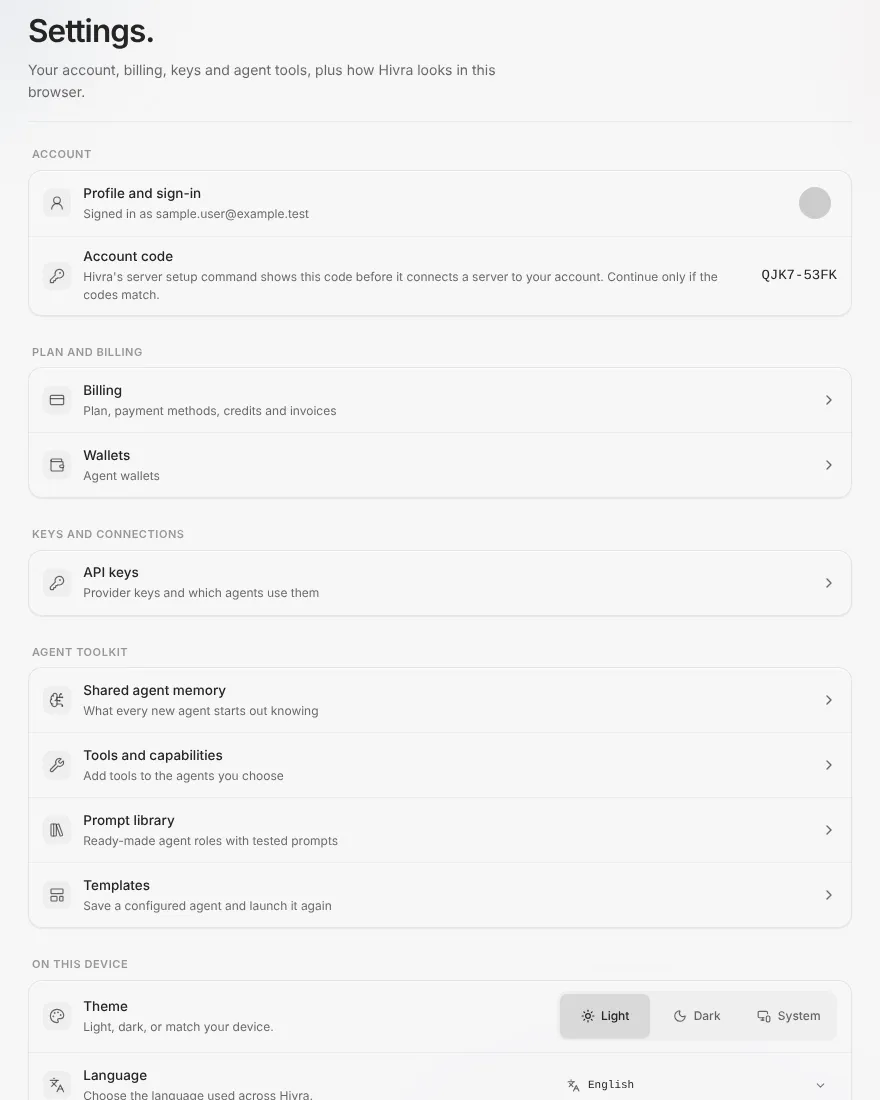
The Account code is a short code that Hivra's server setup command shows before it connects a server to your account. It is a check that the command you are about to run is going to your account: continue only if the codes match. It is not a password and it does not sign anyone in.
Sign-in links that carry a redirect only accept paths inside the app, so a crafted sign-in link cannot send you to another site after you sign in.
What is stored on the agent's computer
Each agent runs on its own computer, a private virtual machine. Whatever the agent does there stays there: files, repositories, shell history and logins. That includes secrets. Hivra's own notice on every agent says it plainly: credentials may be stored on the agent computer.
| Kind of secret | Where it ends up |
|---|---|
| A login you make inside the agent, for example signing in to Claude Code or Codex | On the computer, inside that agent's own sign-in store. The sign-in is between you and the provider. |
| A model key you paste at launch | Sent to the agent's computer. The screen says it is not kept in your browser. |
| A key you choose to save with Save it in my Vault for next time | In your Vault, encrypted. It is sent to a computer only if you tick Send this key to <agent name>'s computer, a checkbox shown when you pick a saved key, and then for that launch only. |
| Tokens and keys you put in files, environment variables or tool connectors on the computer | On the computer. Hivra does not manage them. |
| Aeon's GitHub token | The token you paste in the Aeon GitHub connect step is passed to the computer, and it is scoped by whatever you granted it on GitHub. |
| Hivra credits | Not a secret on the computer. Requests go through Hivra to Venice and are paid from your balance. |
Treat the computer as a place that holds secrets. Give an agent only the accounts, tokens and repository access you would be comfortable with if the agent made a mistake, or followed an instruction hidden in a web page it read.
The Vault
Open Settings, then API keys to reach your Vault. It lists the keys you saved by name, provider and a short preview, never the key itself, and it shows which agents use them. Keys are encrypted before they are stored, and the Vault holds one key per provider, so saving a new one replaces the old one. Writes to the Vault are rate limited.
A key typed for one launch option is cleared if you switch to another option, so it cannot be sent to the wrong place. How your agent gets its model has the full flow, including what a key check sends to Venice.
SSH keys for a server you connect
If you connect a Proxmox server with SSH details, Hivra stores the private key encrypted and never returns it to your browser. If the key has a passphrase, Hivra unlocks it once and stores only the unlocked key, encrypted, not the passphrase. The connect form has a Pinned SSH fingerprint field. Paste the fingerprint of your server's key there. A Read it from the server fallback shows the identity the server presents, and you confirm it matches your provider's console before you use it. See run agents on your own server.
Who can reach the host
The gateway protects the agent from other people on the internet. It does not hide the machine from the people who operate it. That depends on where the computer runs.
| Hivra Cloud | A server you connected | |
|---|---|---|
| Who operates the host | Hivra | You, or whoever controls that server |
| Who can reach its infrastructure | Hivra administrators retain infrastructure access on Hivra-managed hosts | Whoever controls the connected host. Hivra does not become the host operator. |
| Your account sign-in | Not part of that access | Not part of that access |
| Who pays for the hardware | Your Hivra plan | You, to your server provider |
On Hivra Cloud, infrastructure access means the machine your agent's computer runs on, not your account sign-in. Hivra does not describe the isolation between you and its administrators as a promise that the operator has no possible access to underlying systems, and neither should you.
What Hivra can do on a server you connect
How much access Hivra has to your server depends on how you connect it.
- One-command setup (Linux Sandbox). The script creates a user named
hivrathat signs in only with Hivra's key and can use sudo. That is administrator access to that server, so connect only a server you are happy to give it. The setup command asks before it changes anything, and you can read the script first with View the script first, which also shows the published script checksum and your download's checksum so you can compare them. The one-time code expires 15 minutes after it is issued, and Hivra will not serve a script that does not match its pinned checksum. - SSH details (Proxmox VE). Hivra connects with the key you provide. You choose the account, and Proxmox launches need a root login for now. You pin the server's SSH fingerprint yourself in the Pinned SSH fingerprint field.
- Which route runs what. The one-command setup supports Linux Sandbox only. Agents and Ubuntu Desktop on your own server need a Proxmox VE server connected with SSH details.
- Inspect, then prepare. Hivra inspects a connected host without changing it. Installing anything is a separate step that lists what it will do first, and you approve it.
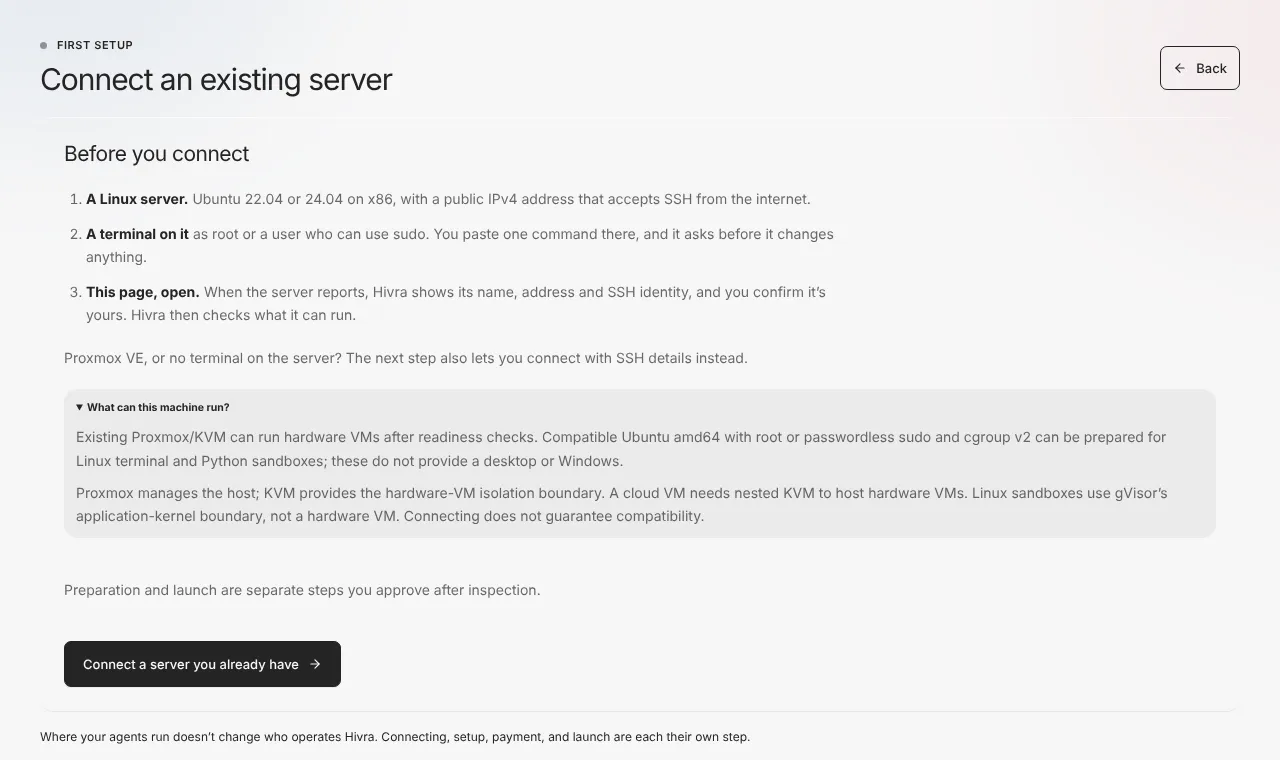
The page run agents on your own server walks through both routes. To undo the one-command setup, the setup dialog shows an uninstall command to run on the server.
Isolation between computers
Every agent gets a computer of its own. Hivra's per-agent notice calls it the agent's private virtual machine. A Ubuntu Desktop computer is a Linux VM with a desktop, a shared terminal and files. Two agents do not share a filesystem or a shell, so an agent that goes wrong on one computer is not sitting in the middle of another.
Linux Sandbox runs on a gVisor-ready server you connect. Your server operator still controls the host kernel.
Hivra's own security model sets the goal that compromise of one agent computer should not grant control-plane, provider, neighbouring-computer or unrelated credential access. That is a design goal, not a finished and audited guarantee. The security page says plainly that this is a model of intent.
Inside a computer, nothing stops the agent from using what you gave it. The isolation is between computers and your everyday device. It is not a filter on what a trusted agent does with its own credentials.
Sharing: what leaves your account and what does not
There are three places where you can hand something to another person or app.
Templates
Open Settings, then the Agent toolkit group, then Templates. Each template has a visibility control with three choices, shown as private, link and public. A new template starts private. Choose link, then use the Link button to copy the share link, which lets anyone who has it launch the template on their own account. Switching to public lists it for everyone, and Hivra asks you to confirm first. The share page says the creator's private notes and any API keys are never included. Even so, look at what a template carries before you share it, and keep keys out of its instructions.
Connect app
On an agent whose view offers it, Connect app lets a desktop app that supports remote connections reach the agent. It shows a URL, a username and a password, and a sign-in link. Anyone with the password or the link can open your dashboard. The links stop working after 30 days or when you choose Disconnect, and New link makes another. Treat them as passwords.
Telegram and other channels
A Claude Code agent's Telegram view connects your own bot to the computer. Anyone who can message that bot can send the agent work, so keep the bot private. OpenClaw and Agent Zero have messaging channels you set up inside their own interfaces, and who may talk to them is configured there.
A practical checklist
- Scope the accounts. Give the agent its own accounts and tokens with the least access that gets the job done, rather than your personal ones.
- Read the About note. Open the agent's Settings, find the About card under Advanced, and read the hosting note. It states who can access the host for this agent's location.
- Use the narrowest key you can. If you use your own provider key, create one just for this agent, so you can revoke it without touching anything else.
- Prefer credits for a first run. On Hivra credits you paste no provider key onto the computer at all.
- Set a daily spend limit. On an agent using Hivra credits, set a daily limit in Settings, Model & tools, so a runaway loop stops at a ceiling you set. It does not apply to your own provider key, so set a cap at the provider.
- Keep it updated. Open Settings, then Updates, and apply updates so connection-service fixes reach the computer.
- Sign in again, not around. If an agent's own login runs out, use Sign in again on the Overview section rather than pasting a long-lived token into a file.
- Remove what you are done with. In Settings, Advanced, Destroy this agent permanently deletes the agent and everything on it, including chats, files and logins. It cannot be undone. Delete saved keys you no longer use from API keys.
- Rotate after exposure. If you think a key was exposed, rotate it at the provider first, then replace it in the Vault and on the computer.
- Know what Recovery is. The Recovery section may list restore points, but Hivra does not guarantee backups, so keep your own copies.
When something goes wrong
| What you see | What it means and what to do |
|---|---|
| A Connection update needed notice on Terminal, Browser or a native view | The computer's connection service is older than the sign-in method the dashboard expects. Update the agent from Settings, then Updates. |
| You are asked to sign in again to a view after a restart | Sign in again, or update the connection service. |
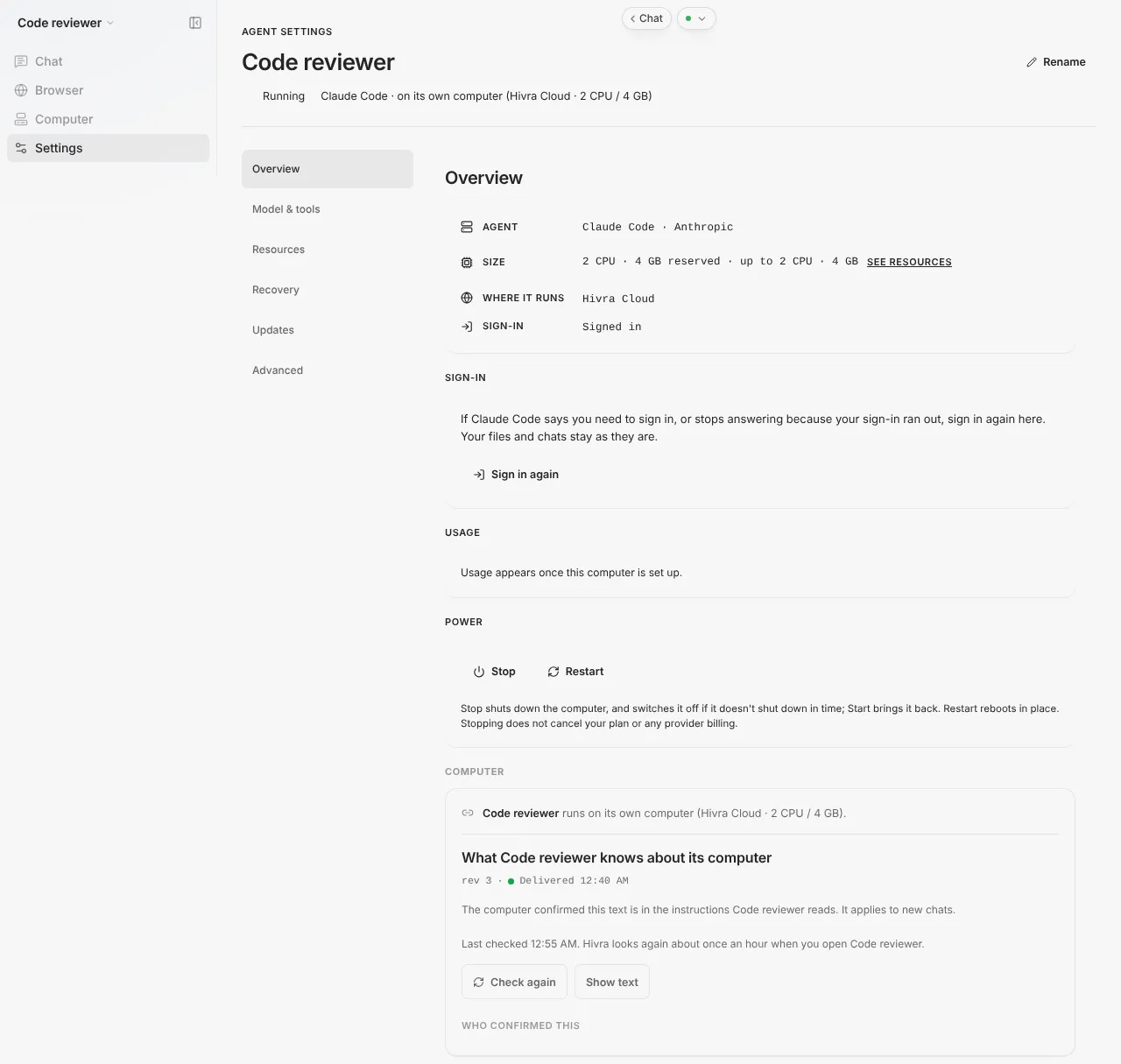
| An agent's own login has run out | Open Settings, Overview, and press Sign in again. Files and chats stay. |
| The setup command asks for a code and it has expired | The code is single use and expires 15 minutes after it is issued. Press Get a new command. |
| The setup command's account code does not match the one in Settings | Stop. Do not continue. The command may not be yours. Get a new command from your own dashboard. |
| The fingerprint shown by Read it from the server does not match your provider's console | Do not accept it. Someone could be intercepting the connection. |
| You think a key leaked | Revoke it at the provider, delete it from API keys, and replace it where the agent uses it. |
| You shared a Connect app link by mistake | Choose Disconnect on the agent, then New link if you still need one. |
| You made a template public by mistake | Switch its visibility back to private in Templates. Anyone who already launched a copy keeps their copy. |
If you believe you have found a flaw in Hivra, do not post it publicly. Use the private channel described below.
What Hivra does and does not do
What Hivra does:
- Puts each agent's interface behind an authenticated gateway tied to your Hivra sign-in.
- Gives each agent a computer of its own, and keeps apps like OpenClaw and Agent Zero on the computer's localhost.
- Stores keys you save to the Vault encrypted, and stores an SSH key you provide encrypted.
- Asks before it installs anything on a server you connect, and lists what it will do.
- Shows the hosting notice for each agent, including who can access the host.
What Hivra does not do:
- It does not promise an agent is safe. A separate computer is a boundary, not a guarantee. Mistakes, hostile web pages, prompt injection and over-broad credentials are still your risk.
- It does not promise that a compromised tool, integration or dependency inside a computer cannot affect the work there.
- It does not hide the host from its operator. Hivra administrators retain infrastructure access on Hivra-managed hosts, and whoever controls a connected server can access it.
- It does not hold a certification or a completed independent audit that this page can point to.
- It does not promise a fixed response time for a security report. The security page says no service level is promised today.
- It does not promise that every access path already meets the short-lived, surface-bound grants set out as targets in the security model.
- It does not backup your computer for you. Keep copies of anything you cannot lose.
- It does not control what a signed-in provider account is allowed to do. That is the provider's rule.
- Hivra is not affiliated with Anthropic, OpenAI or the makers of the other supported agents. Each agent is its own project and has its own security practices.
Reporting a vulnerability
Please do not open a public issue for an unpatched vulnerability. The security page lists the two private channels: GitHub private vulnerability reporting, and an email address with the subject line [Hivra security].
A useful report names where you found it (the URL, release or component), the smallest steps that reproduce it, what boundary you think was crossed, and logs or screenshots with secrets, customer data and internal addresses removed. Do not send live keys, passwords or session cookies. If something was exposed, revoke it first and share only an identifier.
Test only against accounts and systems you control or have permission to assess. Do not access other people's data, interrupt paid services or try to stay on a system. Hivra will respond through the channel you used and coordinate a fix, and it will give credit if you ask once affected users can be protected.
Until a versioned support policy exists, fixes target the current main branch of the repository. Older commits, previous provisioner bundles and independently modified deployments do not get a backport programme. If you run your own installation of Hivra, keep it updated.
Common questions
Who can open my agent's interface?
Someone signed in to the Hivra account that launched it. The web app, Terminal, Files and desktop views go through Hivra's authenticated gateway, and apps such as OpenClaw and Agent Zero listen on the computer's localhost only. A Connect app link or password is the exception, so treat those like passwords.
Can Hivra staff reach my agent's computer?
On Hivra Cloud, Hivra administrators retain infrastructure access on Hivra-managed hosts. That means the machine your agent's computer runs on, not your account sign-in. On a server you connect, whoever controls that server has the access, and Hivra does not become the host operator.
Does Hivra get administrator access to a server I connect?
It depends on the route. The one-command Ubuntu setup creates a user named hivra that signs in with Hivra's key and can use sudo, so yes. Connecting a Proxmox server with SSH details uses the key you provide, and you pin the server's fingerprint yourself.
Where are my secrets stored?
Credentials may be stored on the agent's computer, for example a login you made inside the agent or a key you sent it. A key you choose to save is kept encrypted in your Vault. Only give an agent access you are comfortable with.
Does Hivra offer two-factor sign-in?
Sign-in options are managed under Profile and sign-in in Settings, and what appears there depends on the sign-in provider. This page does not promise a particular method, so check that screen for what is available to you.
Does a separate computer make the agent safe?
No. It is a boundary between the agent's working environment and your everyday device, not a guarantee that the agent is safe. Mistakes, malicious instructions in web pages or documents, and credentials you gave the agent are still risks.
Is it safe to make a template public?
A shared template does not include the creator's private notes or API keys, but it does carry its setup and instructions. Look at what it contains first, keep secrets out of it, and switch it back to private if you shared it by mistake. Copies others already launched stay with them.
How do I report a security problem?
Do not post it publicly. Use GitHub private vulnerability reporting or email the address on the security page with the subject line Hivra security in brackets. Leave out live keys and passwords, and include where you found it and how to reproduce it.